

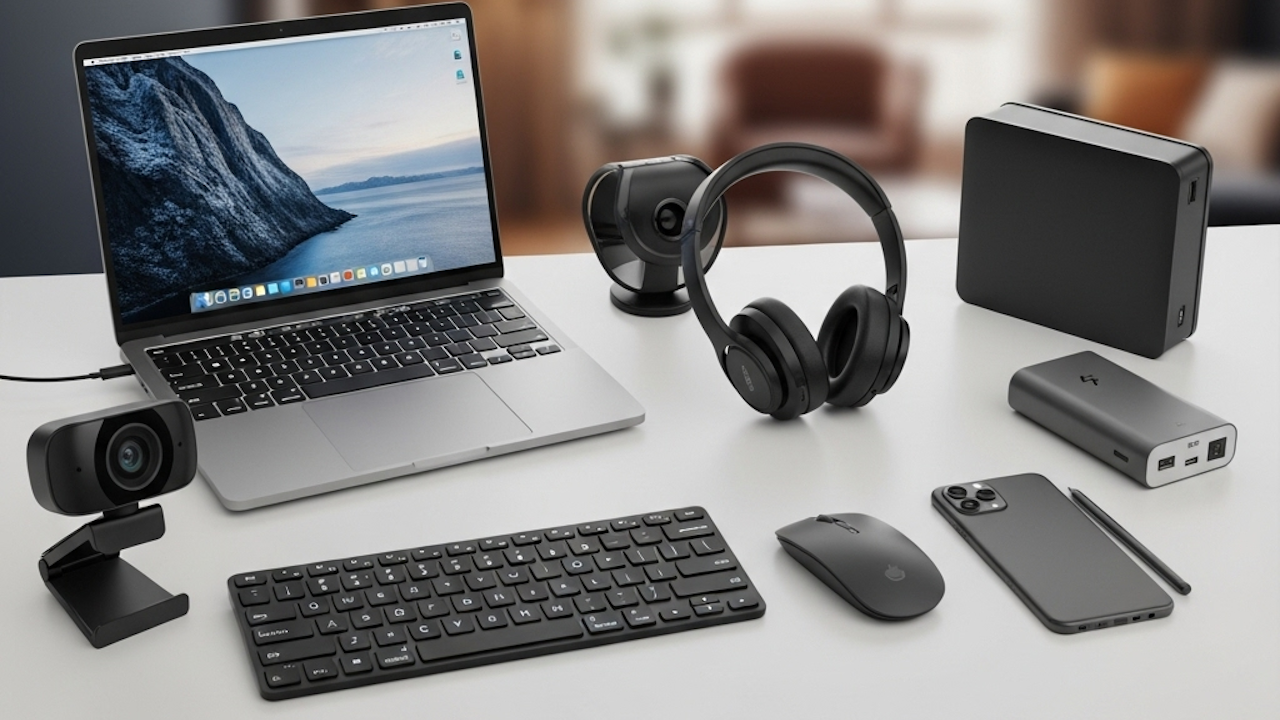
Remote work has evolved into a core part of professional life in 2026. Many employees now split their time between home setups and occasional office visits or operate entirely from personal spaces. This shift brings unique demands on technology. Distractions from family or neighbors, physical strain from long hours at makeshift desks, unreliable internet during critical meetings, and the need for a professional appearance on video calls all require targeted solutions. The right gadgets address these issues directly. They boost focus, improve posture and comfort, expand workspace capabilities, and ensure seamless connectivity. Investing in these tools turns any home corner into an efficient, sustainable workspace. Experts across major review outlets agree that prioritizing ergonomics and connectivity pays off in higher productivity and fewer health complaints over time. This article explores the standout options in key categories. Each selection draws from rigorous testing for real world remote scenarios such as video conferencing, multitasking, and all day use.
Noise canceling headphones top the list for maintaining concentration in unpredictable home environments. Background sounds like traffic, pets, or household activity can derail focus during deep work or calls. The Sony WH 1000XM6 headphones excel here with industry leading active noise cancellation that blocks low rumbles and high frequency noises effectively. Their microphones deliver clear voice pickup even in noisy settings. Battery life stretches to 30 hours or more with noise cancellation active. Quick charge features restore hours of use in minutes. Built in audio customization through companion apps lets users tweak sound profiles for music during breaks or voice emphasis during meetings. Lightweight construction and plush ear cups support extended wear without fatigue. For remote workers who juggle calls and solo tasks, these headphones create a personal bubble of quiet that enhances output and reduces mental exhaustion.
Webcams come next as essential upgrades for professional video presence. Built in laptop cameras often fall short in resolution, lighting handling, and framing during long sessions. The Obsbot Tiny 2 stands out with its AI powered tracking that follows movements automatically. It keeps users centered without manual adjustments during presentations or collaborative discussions. Resolutions reach high definition levels with strong low light performance for dimly lit home offices. Multiple modes include gesture controls for hands free operation. Compact size allows easy mounting on monitors or tripods. Remote teams report sharper, more engaging appearances that build trust in virtual meetings. Pair it with a simple ring light accessory like the Logitech Litra Glow for balanced illumination that eliminates shadows and glare. This combination elevates call quality far beyond default setups and supports hybrid work norms where visual communication drives collaboration.
Ergonomic keyboards prevent wrist and shoulder strain that builds up over months of typing reports or emails. Standard flat designs force unnatural hand positions that lead to discomfort. The Logitech Wave Keys model features a gentle curved layout that aligns wrists and fingers naturally. Cushioned palm rests add support during marathon sessions. Wireless connectivity works across multiple devices through a single dongle or Bluetooth. Battery life lasts months on a pair of standard cells. Compatibility spans Windows and Mac systems without reconfiguration hassles. Testers praise the quiet keystrokes and responsive feel that suit quiet home environments. For those who type extensively, this keyboard reduces repetitive stress risks and maintains typing speed without compromise. It integrates smoothly into any desk setup and proves durable under daily use.
Precision pointing devices complement keyboards by minimizing arm movement and repetitive strain. The Logitech MX Master 4 mouse delivers customizable buttons and ultra fast scrolling that speeds through documents or spreadsheets. Its ergonomic shape cradles the hand for all day comfort. Horizontal scroll wheels handle wide timelines or code views effortlessly. Flow technology allows seamless switching between two or three computers without cables or reconfiguration. Battery charges quickly via USB C and lasts weeks. Remote workers who navigate complex interfaces or manage multiple screens appreciate the reduced wrist fatigue and increased accuracy. Alternatives like trackball options suit those with limited desk space. This mouse transforms cursor control into an intuitive extension of the hand rather than a source of tension.
External monitors expand screen real estate and reduce eye strain from cramped laptop displays. The Dell UltraSharp U2725QE offers 4K resolution with vibrant colors and high contrast that makes text crisp and graphics detailed. Built in USB hubs and KVM switches let users connect multiple computers and switch instantly. Ambient light sensors adjust brightness automatically to match room conditions and prevent fatigue. Ultrawide variants like the Dell U3425WE add even more workspace for side by side applications. For mobile remote workers, portable options such as slim foldable screens from brands like Arzopa pair via USB C for quick dual monitor setups in hotels or cafes. These displays boost multitasking efficiency dramatically. Research shows multiple screens can increase productivity by 20 to 30 percent through less window switching. They also promote better posture by allowing monitors to sit at eye level separate from the keyboard.
Docking stations simplify cable clutter and enable laptop based workstations to rival full desktops. Thunderbolt 5 models from brands like UGREEN or CalDigit support multiple 4K or higher monitors, fast data transfer, and charging through one cable. Ports include Ethernet for stable wired internet, USB expansions, and audio outputs. Setup takes seconds and frees laptops from constant plugging and unplugging. Remote workers with hybrid schedules appreciate carrying just the laptop while leaving peripherals connected at home. These docks future proof setups against evolving laptop ports and support high bandwidth needs for video editing or large file transfers. Reliability during peak hours prevents dropped connections that disrupt deadlines.
Reliable networking forms the backbone of any remote operation. Mesh Wi Fi systems like the eero 6 plus or Pro 7 deliver consistent coverage across large homes without dead zones. They handle multiple devices streaming or downloading simultaneously during family hours. Advanced models incorporate Wi Fi 7 speeds for low latency video calls and cloud backups. Single router upgrades such as the TP Link Archer series offer budget entry points with strong range and security features. For travel, portable hotspot options from TP Link provide backup connectivity anywhere. Strong networks eliminate buffering frustrations and support cloud based tools that dominate modern workflows. Remote workers report fewer interruptions and smoother collaboration when home internet matches office standards.
Power management gadgets keep devices running through extended sessions or travel. High capacity power banks like the Anker Prime series recharge laptops and phones multiple times while featuring built in cables and digital displays for remaining capacity. Wireless charging mats clear desk surfaces of cords and support simultaneous device topping off. These accessories prevent mid day shutdowns during critical tasks and enable flexibility for workers who move between rooms or locations. Battery anxiety fades when portable power matches the demands of full workdays away from outlets.
Ergonomic furniture and accessories complete the setup by addressing physical health directly. Adjustable standing desks such as the Secretlab Magnus Pro or budget electric converters let users alternate positions throughout the day. This movement combats the sedentary risks of desk work and improves circulation and focus. Premium office chairs like the Herman Miller options or Secretlab Titan EVO provide lumbar support, recline, and breathable materials tailored for long sits. Monitor arms free up desk space and position screens at ideal heights to reduce neck strain. Laptop stands elevate devices for better airflow and viewing angles. Adaptive lighting bars attach to monitors and deliver even illumination that cuts glare and supports video quality. Together these elements create a workspace that adapts to the body rather than forcing compromises. Studies link ergonomic upgrades to lower absenteeism and sustained energy levels in remote roles.
Specialized tools suit digital nomads or hybrid travelers within the remote workforce. Folding mice like the OriMouse collapse for bag storage yet deliver full functionality on arrival. Portable Wi Fi routers and compact tripods stabilize phones for quick content capture or calls on the road. Smart notebooks digitize handwritten ideas and sync to cloud services for seamless review across devices. These lightweight additions maintain productivity without sacrificing mobility.
Selecting gadgets requires matching choices to individual pain points and budgets. Start with core peripherals like headphones and input devices if daily focus or typing causes issues. Expand to displays and docks for heavy multitasking users. Ergonomic furniture investments yield the longest term returns for health. Check compatibility with existing laptops and operating systems before purchase. Many options offer trial periods or return windows through major retailers. Prioritize wireless features for clean setups and USB C universality for future proofing. In 2026 the emphasis falls on integration and adaptability as AI assistants and cloud tools grow. The best gadgets quietly remove friction so workers concentrate on meaningful tasks instead of fighting their environment.
Remote setups thrive when technology supports natural work rhythms rather than dictating them. These gadgets collectively deliver comfort during long hours, clarity in communications, and flexibility across locations. They empower professionals to perform at peak levels regardless of office access. With thoughtful selection any remote worker can build a personalized system that rivals or surpasses traditional workplaces. The result appears in higher satisfaction, better output, and sustained career success from home.